

Configure STT transcribers, TTS voices, endpointing, and interruption latency
Voices & Speech
Configure ultra-realistic voice synthesis, streaming speech recognition, turn-taking endpointing, and natural interruption handling.
Overview
The Speech tab controls how your assistant listens and speaks. Voice AI requires micro-second synchronization between Speech-to-Text (STT) and Text-to-Speech (TTS) to deliver conversational rhythm.
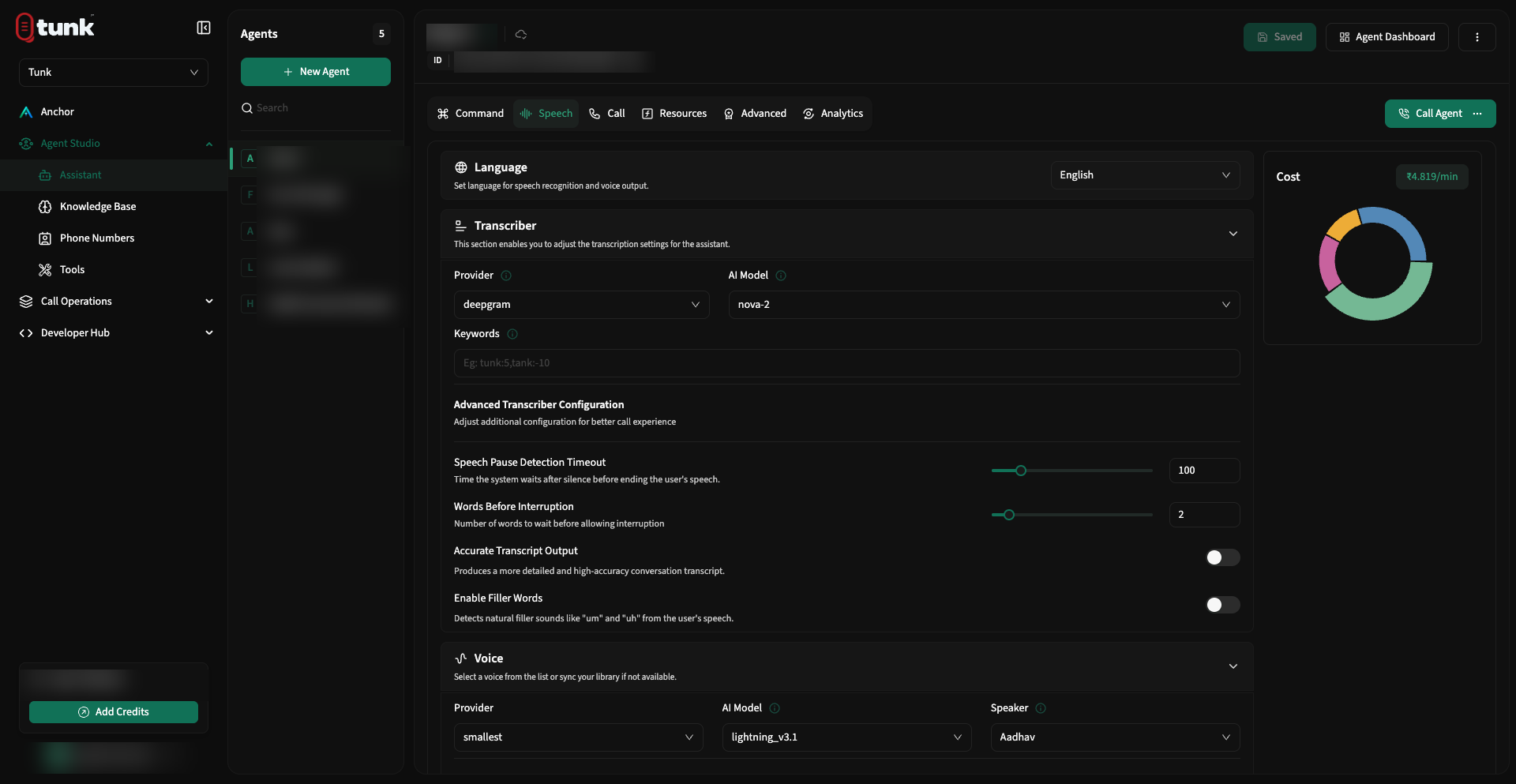 Assistant Speech Settings
1. Speech-to-Text (Transcriber)
The Transcriber converts caller phone audio into real-time text streams.
Supported STT Providers
| Provider | Recommended Models | Key Strengths |
|---|---|---|
| Deepgram | nova-3, nova-2 | Industry-leading speed (<200ms latency), background noise rejection |
| Azure Speech | latest | High enterprise accuracy, 80+ regional accent support |
| AssemblyAI | universal-2, universal-3.5-pro | Strong punctuation and speaker diarization |
| Sarvam AI | saaras:v3, saarika:v2.5 | Native multilingual support across 10+ Indian languages |
| Smallest.ai | pulse | Lightweight, ultra-fast transcription |
| OpenAI | whisper-1 | Broad multilingual recognition |
Transcriber Fine-Tuning
- Keywords Boosting: Enter comma-separated technical acronyms, brand names, or medication names (e.g.
Tunk, SaaS, Kubernetes, HIPAA). The transcriber biases acoustic models towards these terms. - Endpointing Sensitivity (ms): The duration of silence required after the caller stops speaking before the assistant assumes the caller has finished their thought.
- Fast (300ms–400ms): Snappy, rapid turn-taking for quick answers.
- Balanced (500ms–700ms): Recommended default for most natural conversations.
- Patient (800ms–1200ms): For older demographics, healthcare, or complex technical discussions where callers pause to think.
- Interruption Threshold (Number of Words): Number of words the caller must speak before the assistant cuts off its current audio stream. Setting this to
2or3prevents accidental cutoffs caused by coughs or background noise. - Generate Precise Transcript: Toggles dual-pass acoustic refinement for post-call audit transcripts.
- Use Fillers: When enabled, the assistant may emit subtle natural acknowledgments (e.g., "Got it", "Sure", "Let me check that") while complex tools or LLM queries are running to avoid dead air.
2. Text-to-Speech (Synthesizer)
The Synthesizer converts streaming LLM text tokens into lifelike audio waveforms.
Supported TTS Providers
| Provider | Recommended Models | Key Strengths |
|---|---|---|
| ElevenLabs | eleven_flash_v2_5, eleven_multilingual_v2, eleven_turbo_v2_5 | Cinematic emotional expressiveness and voice cloning |
| Cartesia | sonic-3, sonic-3.5 | Ultra-low time-to-first-byte (<100ms TTS latency) |
| Azure Speech | neural | Reliable enterprise scale, global language coverage |
| Deepgram | aura | Cost-effective, streaming conversational voices |
| Sarvam AI | bulbul:v3 | Natural regional Indian voice synthesis |
| Smallest.ai | lightning | High-speed low-resource synthesis |
Synthesizer Parameters
- Voice / Speaker: Choose from dozens of voice personas across gender, age, and accent characteristics.
- Buffer Size: Number of text characters or tokens buffered before streaming audio chunks down the WebSocket. Smaller buffers reduce latency; larger buffers increase speech naturalness.
- Temperature / Stability: Controls how much inflection and dynamic variation the voice actor displays.
- Audio Format: Choose between
pcm_8000(optimized for PSTN telephony) orpcm_16000/pcm_24000(high-fidelity for WebRTC browser calls).
Need help? Reach out on our support portal.