

Knowledge Base & RAG
Ground your voice AI assistants in factual business knowledge using document repositories, semantic vector embeddings, and Retrieval-Augmented Generation (RAG).
Overview
A Knowledge Base gives your voice assistants real-time access to company documentation, policy manuals, product catalogs, and FAQs. During a live conversation, the assistant semantically searches indexed documents to ground its answers, preventing hallucinations.
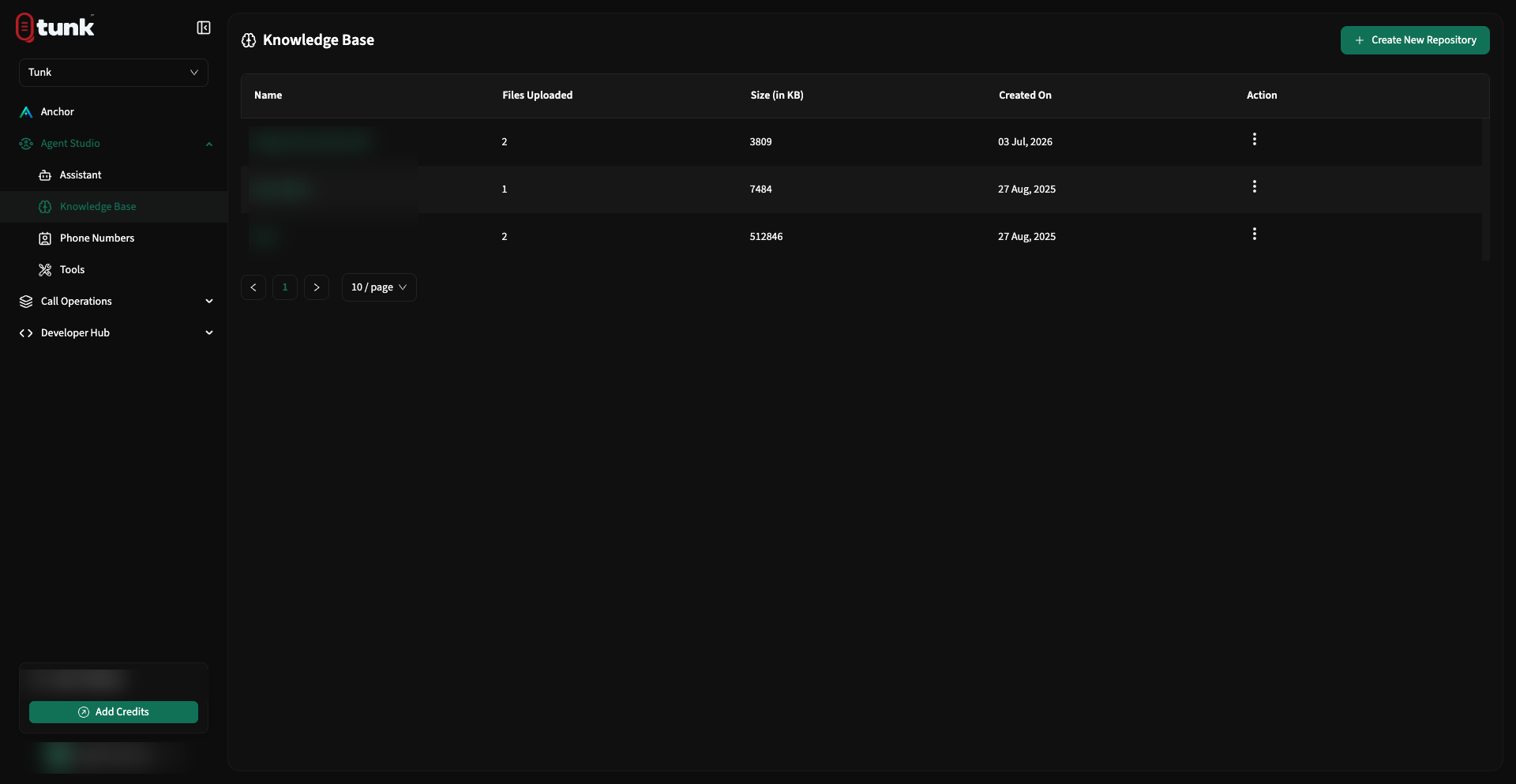 Knowledge Base Repositories
1. Creating a Repository
- In the left sidebar under Ecosystem, click Knowledge Base.
- Click Create Repository.
- Enter a repository name (e.g. Health Insurance Policy 2026, Automobile Service Manual) and description.
- Click Create.
2. Ingesting & Indexing Files
Once a repository is created, click into it to upload source documents:
- Click Add New File.
- Drag and drop your source documents into the upload drop-zone.
- Supported File Types:
.pdf,.txt,.docx - Maximum File Size: 25 MB per file
- Supported File Types:
- Tunk automatically parses document text, splits sections into semantic chunks, and generates vector embeddings using high-dimensional embedding models.
- When indexing finishes, the status tag updates to Completed.
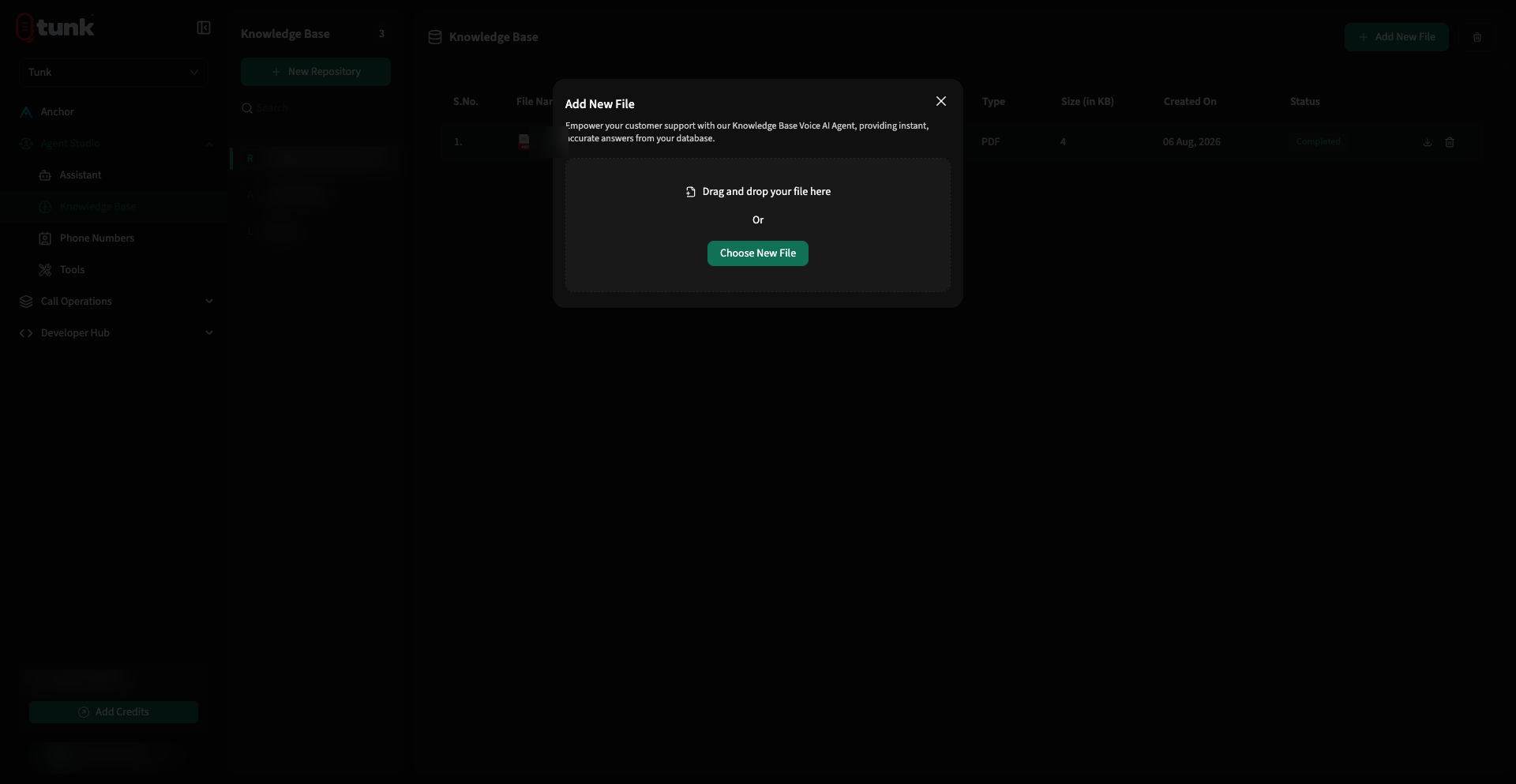 Upload File to Repository
3. Linking Knowledge Base to an Assistant
To make your repository accessible to an assistant during phone calls:
- Open Assistant Studio and select your assistant.
- Navigate to the Resources tab.
- In the Knowledge Base section, check the box next to your repository to bind it.
- Click Save Config in the header.
4. Best Practices for Voice AI RAG
Voice conversations require concise, snappy responses. Follow these formatting guidelines for your source documents:
- Clean Structure: Use clear Markdown headings (
#,##) and bold section names so semantic chunkers isolate topics cleanly. - Short Answers: Keep FAQ answers under 2–3 sentences.
- Avoid Massive Tables: Transcribe dense financial tables into descriptive key-value sentences (e.g. "Basic tier costs $19/month, Pro costs $49/month").
- Keep Outdated Content Clean: Delete retired versions of policy files to prevent ambiguous retrieval results.
5. Automating Knowledge Base via REST API
Synchronize repositories and documents programmatically from your CMS or CI/CD pipelines using the public API:
Create a Repository
curl -X POST "$TUNK_BASE_URL/knowledge-base/repository" \
  -H "X-Api-Key: $TUNK_API_KEY" \
  -H "X-Workspace-Id: $TUNK_WORKSPACE_ID" \
  -H "Idempotency-Key: $(uuidgen)" \
  -H "Content-Type: application/json" \
  -d '{
    "name": "Customer Support Policies",
    "description": "Warranty terms, refund rules, and SLA guide"
  }'
Upload a Document File (PDF, DOCX, TXT)
curl -X POST "$TUNK_BASE_URL/knowledge-base/upload" \
  -H "X-Api-Key: $TUNK_API_KEY" \
  -H "X-Workspace-Id: $TUNK_WORKSPACE_ID" \
  -H "Idempotency-Key: $(uuidgen)" \
  -F "repository_id=<repository_uuid>" \
  -F "file=@support-guide.pdf"
Ingest a Web Page URL or Raw Text
curl -X POST "$TUNK_BASE_URL/knowledge-base" \
  -H "X-Api-Key: $TUNK_API_KEY" \
  -H "X-Workspace-Id: $TUNK_WORKSPACE_ID" \
  -H "Idempotency-Key: $(uuidgen)" \
  -H "Content-Type: application/json" \
  -d '{
    "repository_id": "<repository_uuid>",
    "type": "url",
    "url": "https://example.com/faq",
    "title": "Website FAQ"
  }'
Check Ingestion Status
curl "$TUNK_BASE_URL/knowledge-base/<item_uuid>/status" \
  -H "X-Api-Key: $TUNK_API_KEY" \
  -H "X-Workspace-Id: $TUNK_WORKSPACE_ID"
The response returns ingestion_status (pending, completed, or failed), ingested_chunks, and any ingestion_error. If ingestion fails, trigger a retry with POST /knowledge-base/<item_uuid>/retry.