

Assistants & Prompts
Configure voice AI assistants with conversational personas, system prompts, dynamic variables, and frontier LLM reasoning engines.
Overview
In Tunk.ai, an Assistant is the central orchestrator of a voice interaction. It defines what the agent says, how it thinks, what tools it can call, what voice it speaks with, and how it handles edge cases like interruptions and silence.
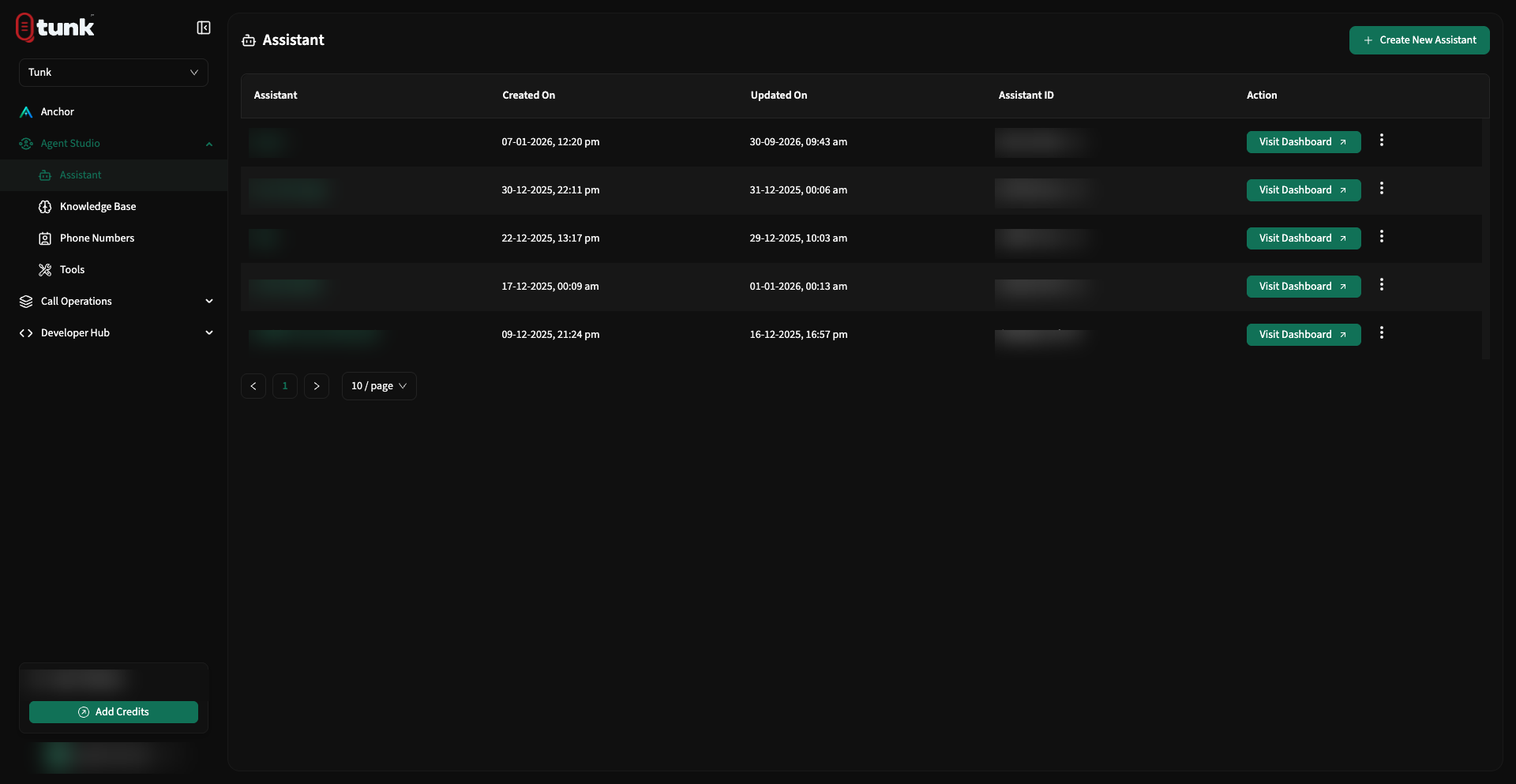 Assistant Studio Listing
The Command Tab
The Command tab controls the conversational core of your assistant:
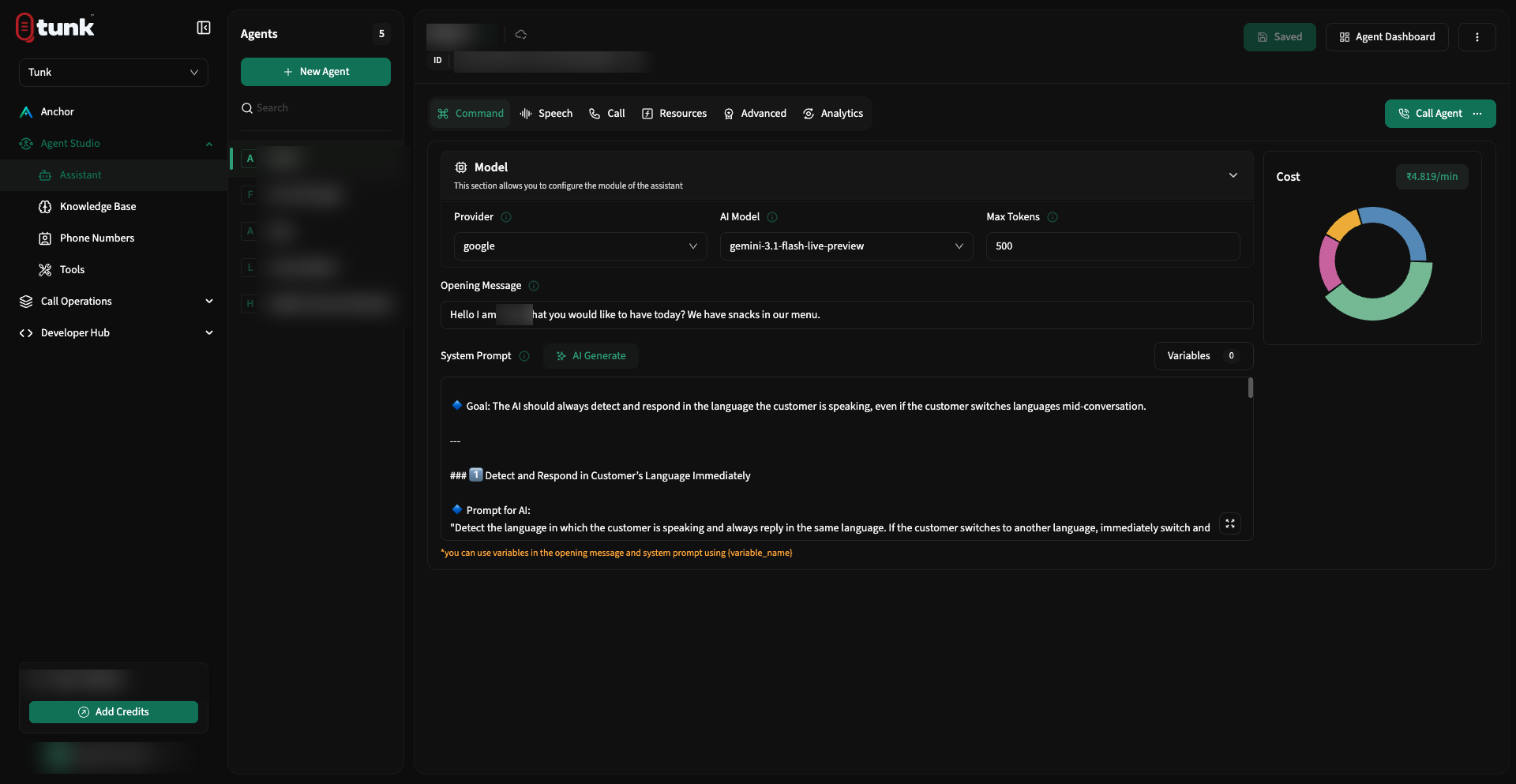 Assistant Command Configuration
1. Opening Message (First Greeting)
The opening message is spoken immediately when the call connects:
- Best Practice: Keep it under 2 sentences (15–20 words) so the caller knows who they are speaking with without waiting.
- Example:
Plain text
Hello! Thanks for calling Tunk Support. My name is Maya. How can I help you today?
2. System Prompt Engineering
The system prompt defines your assistant's identity, guidelines, constraints, and conversational flow.
Recommended System Prompt Structure:
# Role & Identity

You are Sarah, a virtual leasing agent for Skyline Apartments. You assist callers with unit availability, pricing, and scheduling tours.

# Conversation Style

- Warm, polite, and conversational.
- Speak in brief sentences suitable for phone audio.
- Do not use markdown bullet points or emoji in your spoken output.

# Core Objectives

1. Ask the caller what bedroom size they are looking for (1B, 2B, or 3B).
2. Look up available units using the `check_availability` tool.
3. If interested, offer to book an in-person tour using the `schedule_tour` tool.

# Guardrails

- If asked about lease discounts, explain that specials are confirmed during on-site tours.
- If the caller requests a manager, use the `transfer_call` tool to route them to the leasing office.
3. Dynamic Prompt Variables ({variable})
You can insert dynamic variables into the Opening Message or System Prompt using curly braces: {variable_name}.
When a call is initiated (via REST API or Outbound Campaign CSV), Tunk automatically interpolates the runtime values into the prompt:
Hello {customer_name}! I am calling regarding your upcoming appointment on {appointment_date} at {appointment_time}. Are you still able to make that time?- When you add a
{variable}in the prompt editor, Tunk automatically registers it in the Variable List below the editor. - You can provide a default fallback value for any variable in case it is omitted at runtime.
Selecting LLM Providers & Models
Tunk.ai integrates with top-tier LLM providers optimized for low-latency conversational streaming:
| Provider | Supported Models | Recommended Use Case |
|---|---|---|
| OpenAI | gpt-4o | Complex reasoning, tool calling, multi-step problem solving |
| OpenAI | gpt-4o-mini | High-speed, cost-effective customer support, FAQ resolution |
| Google Gemini | gemini-1.5-flash | Ultra-fast response times, long context windows |
| Google Gemini | gemini-1.5-pro | Deep document analysis and complex RAG queries |
Max Tokens
- Controls the maximum length of each spoken response generated by the LLM.
- Recommended Range:
150–300tokens. - Setting max tokens too high can lead to long monologues that cause caller drop-off.