

Connect your company-level OpenAI, Deepgram, Azure, and ElevenLabs API keys
Bring Your Own Credentials (BYOC)
Connect your own AI model provider credentials at the company level. Unlock custom enterprise rate limits, proprietary fine-tuned models, and 0% platform markup on model usage.
What is BYOC?
By default, Tunk routes assistant requests through managed cloud accounts, deducting credits from your workspace balance.
With Bring Your Own Credentials (BYOC), you connect your own API keys for providers like OpenAI, Deepgram, ElevenLabs, and Azure:
- Company-Level Integration: Connect once per workspace. A single credential automatically activates across all models supported by that provider (LLM, TTS, STT).
- Zero Platform Markup: LLM, TTS, and STT usage is billed directly to your provider account. Tunk only debits standard telephony and infrastructure fees.
- Enterprise Security: Your API keys are encrypted at rest with AES-256 and never logged or exposed in client responses.
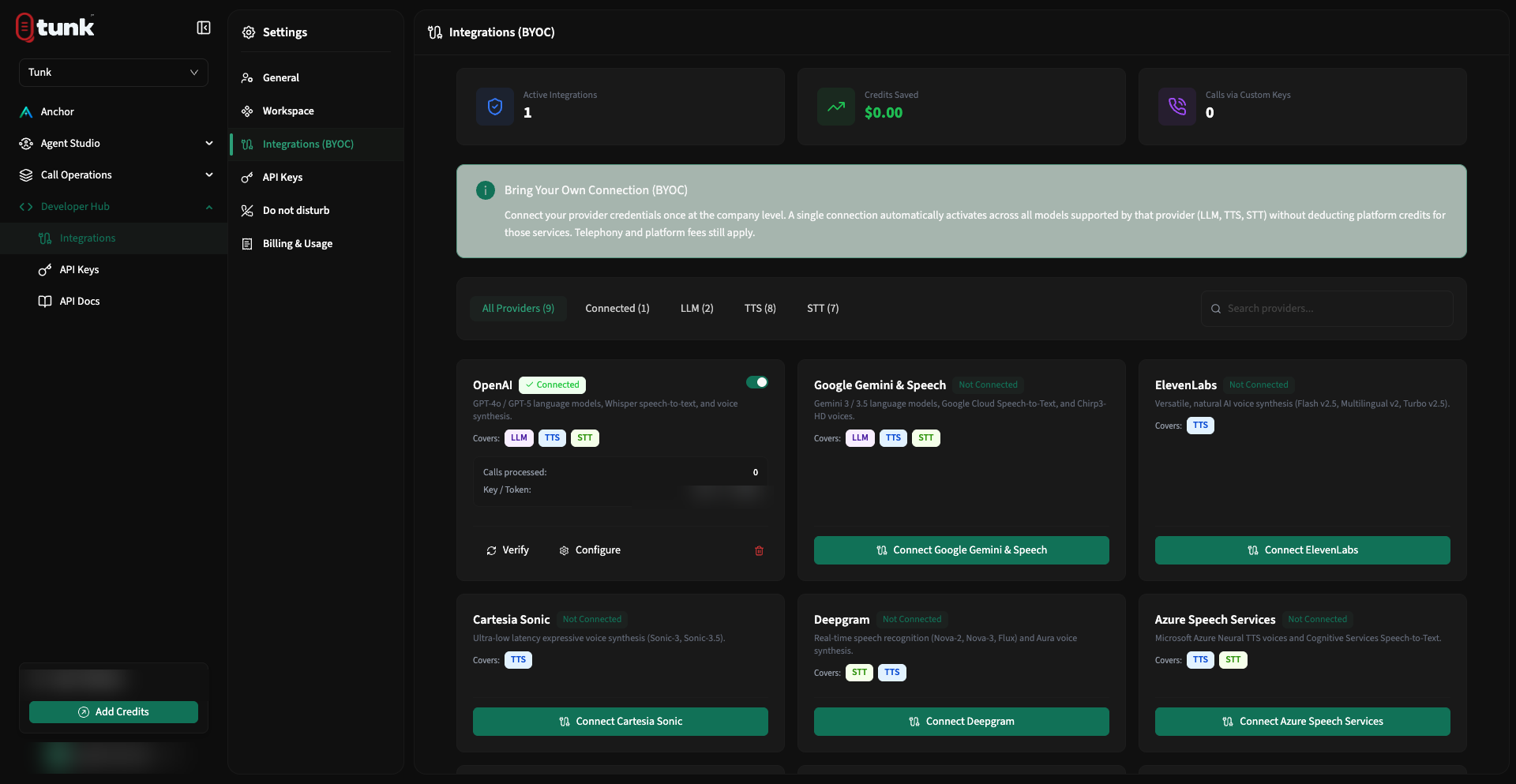 BYOC Integrations Overview
Supported Providers
Tunk supports 9 active enterprise AI providers across the Voice pipeline:
| Provider | Supported Services | Validation Endpoint Used |
|---|---|---|
| OpenAI | LLM, TTS, STT | GET https://api.openai.com/v1/models |
| Google Gemini & Cloud Speech | LLM, TTS, STT | GET https://generativelanguage.googleapis.com/v1beta/models |
| Deepgram | TTS, STT | GET https://api.deepgram.com/v1/projects |
| ElevenLabs | TTS | GET https://api.elevenlabs.io/v1/user |
| Cartesia Sonic | TTS | GET https://api.cartesia.ai/voices |
| Azure Speech Services | TTS, STT | Region & Key validation against Azure Cognitive Services |
| Sarvam AI | TTS, STT | GET https://api.sarvam.ai/models |
| Smallest.ai (Waves) | TTS, STT | GET https://waves-api.smallest.ai/api/v1/models |
| AssemblyAI | STT | GET https://api.assemblyai.com/v2/account |
Connecting a Provider
- Open the BYOC Integrations Page.
- Locate the provider card (e.g., OpenAI or ElevenLabs).
- Click Connect [Provider].
- Paste your API key (and select your Azure region if configuring Azure Speech Services).
- Click Save & Verify.
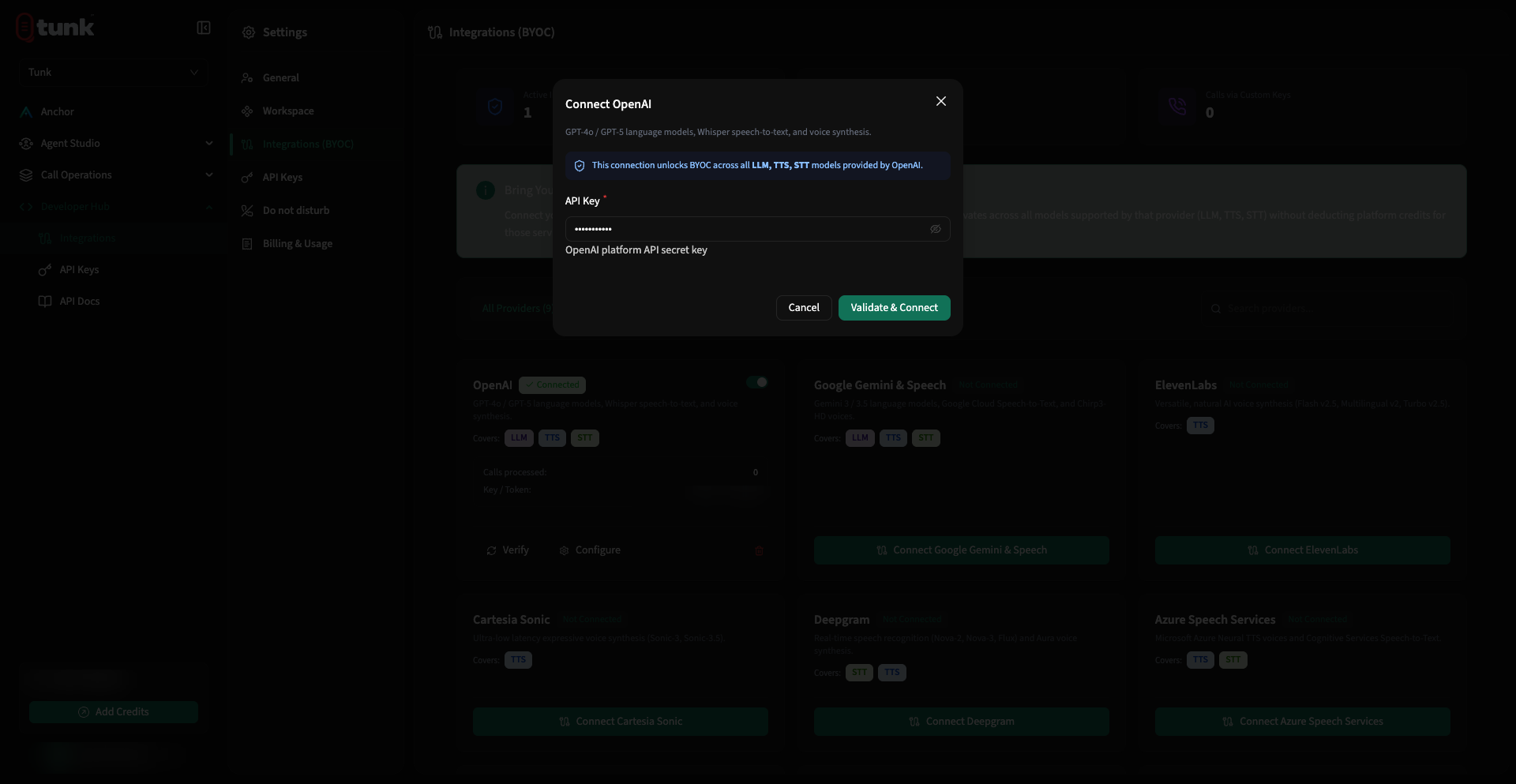 BYOC Credential Connection Modal
Need help? Reach out on our support portal.