

Configure call transfer rules, termination timers, and silence timeouts
Call Settings & Transfers
Configure telephony routing, live call transfers to human agents, silence timeouts, maximum duration guards, and latency optimizations.
The Call Tab
The Call tab controls live phone call routing, safety timeouts, and human escalation.
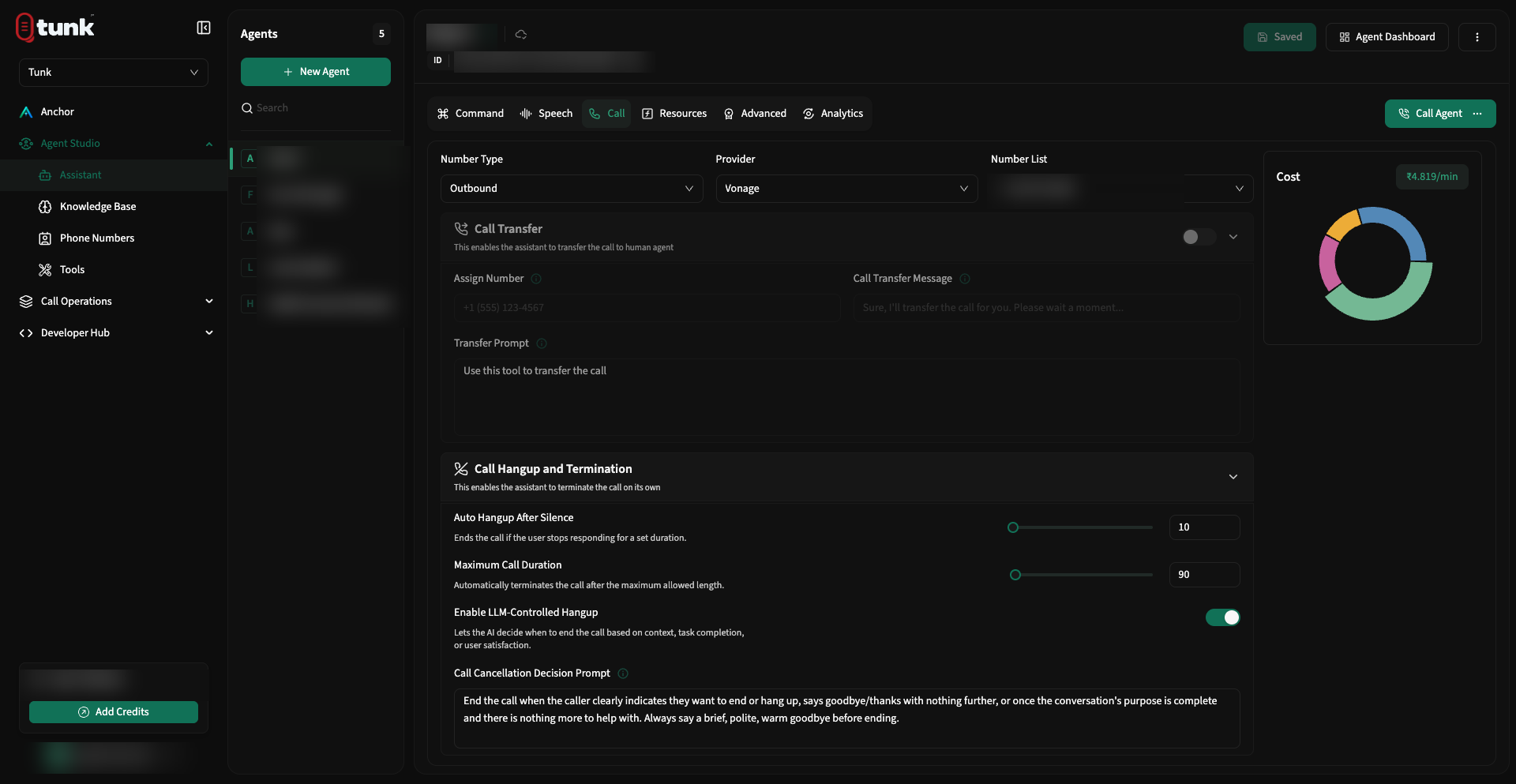 Assistant Call Settings
1. Phone Number Assignment
- Number Type: Choose between Inbound, Outbound, or Bidirectional.
- Provider: Select the telephony carrier hosting the number (Twilio, Plivo, or Vonage).
- Number List: Select from your imported workspace phone numbers.
2. Live Call Transfer (Human Escalation)
When a caller asks for a human specialist or presents a scenario outside the agent's scope, Tunk can seamlessly transfer the live call to a phone number or call center queue.
Transfer Configuration Fields:
- Enable Call Transfer: Toggle to activate the built-in call transfer tool.
- Assign Number: The destination E.164 phone number where calls will be routed (e.g.
+14155552671). - Call Transfer Message: Spoken by the assistant right before initiating the SIP transfer:
Plain text
Please hold while I transfer you to our customer support team. - Transfer Prompt: Instructions given to the LLM defining when to invoke the transfer:
Plain text
Transfer the call if the caller explicitly requests a human manager, or if they mention a medical emergency or legal inquiry.
3. Safety Guards & Silence Timeouts
Prevent runaway calls and unexpected telephony charges with automated session guards:
- Hangup After Silence (Seconds): If the caller is silent for this duration (e.g., 20 seconds), the assistant politely hangs up the call.
- Max Call Duration (Seconds): Hard ceiling on call duration (e.g., 600 seconds / 10 minutes) to prevent open-line billing if a carrier fails to send a disconnect signal.
- Hangup After LLM Call: Automatically terminates the call after the assistant completes a final statement (useful for one-way reminder calls).
- Call Cancellation Prompt: Spoken by the assistant before terminating an inactive call:
Plain text
I haven't heard a response in a while, so I will disconnect now. Feel free to call us back anytime. Goodbye!
4. Advanced Tab Configurations
Switch to the Advanced tab to fine-tune system-level parameters:
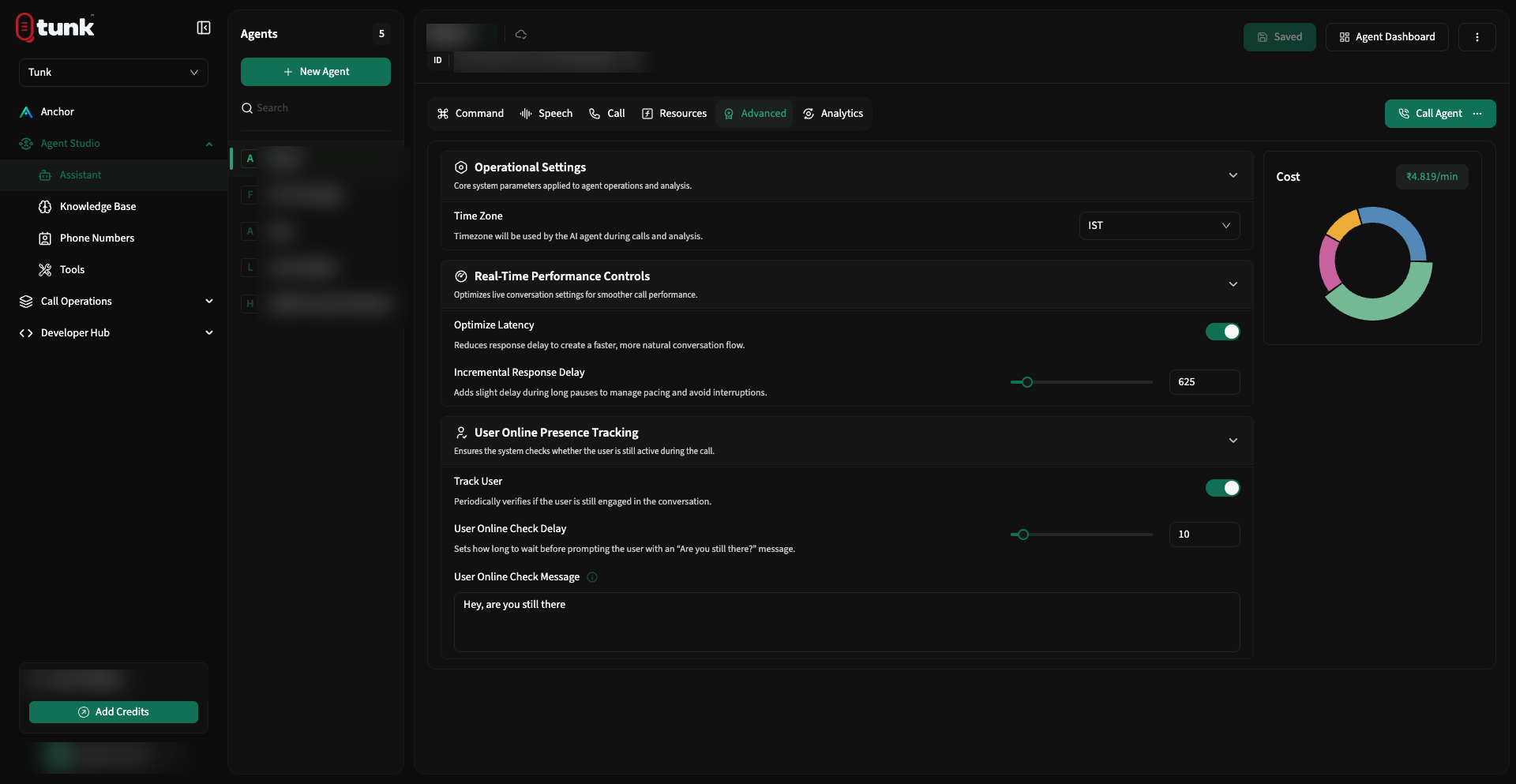 Assistant Advanced Configuration
- Timezone: Set the operating timezone for your assistant. All dynamic time variables (e.g., "good morning", appointment dates) will respect this timezone.
- Optimize Latency: Toggles speculative execution and parallel pipeline streaming to achieve the fastest possible turn-taking.
- Incremental Delay: Adjusts microsecond pacing between sentences to prevent unnatural speech bursts.
- Check If User Online: If silence is detected, the assistant can proactively check if the caller is still there:
- Trigger Timeout: e.g., after 7 seconds of silence.
- Check Message: "Are you still with me?" or "Take your time, let me know when you're ready."
Need help? Reach out on our support portal.