

Automate sentiment analysis, AI call summaries, and structured data extraction
Post-Call Intelligence
Automatically extract structured JSON data, compute caller sentiment, generate summaries, and tag call dispositions after every conversation.
Overview
The Analytics tab enables automated post-call intelligence. When a call completes, Tunk asynchronously analyzes the entire transcript using an evaluation LLM to extract business data and evaluate call quality without affecting live call latency.
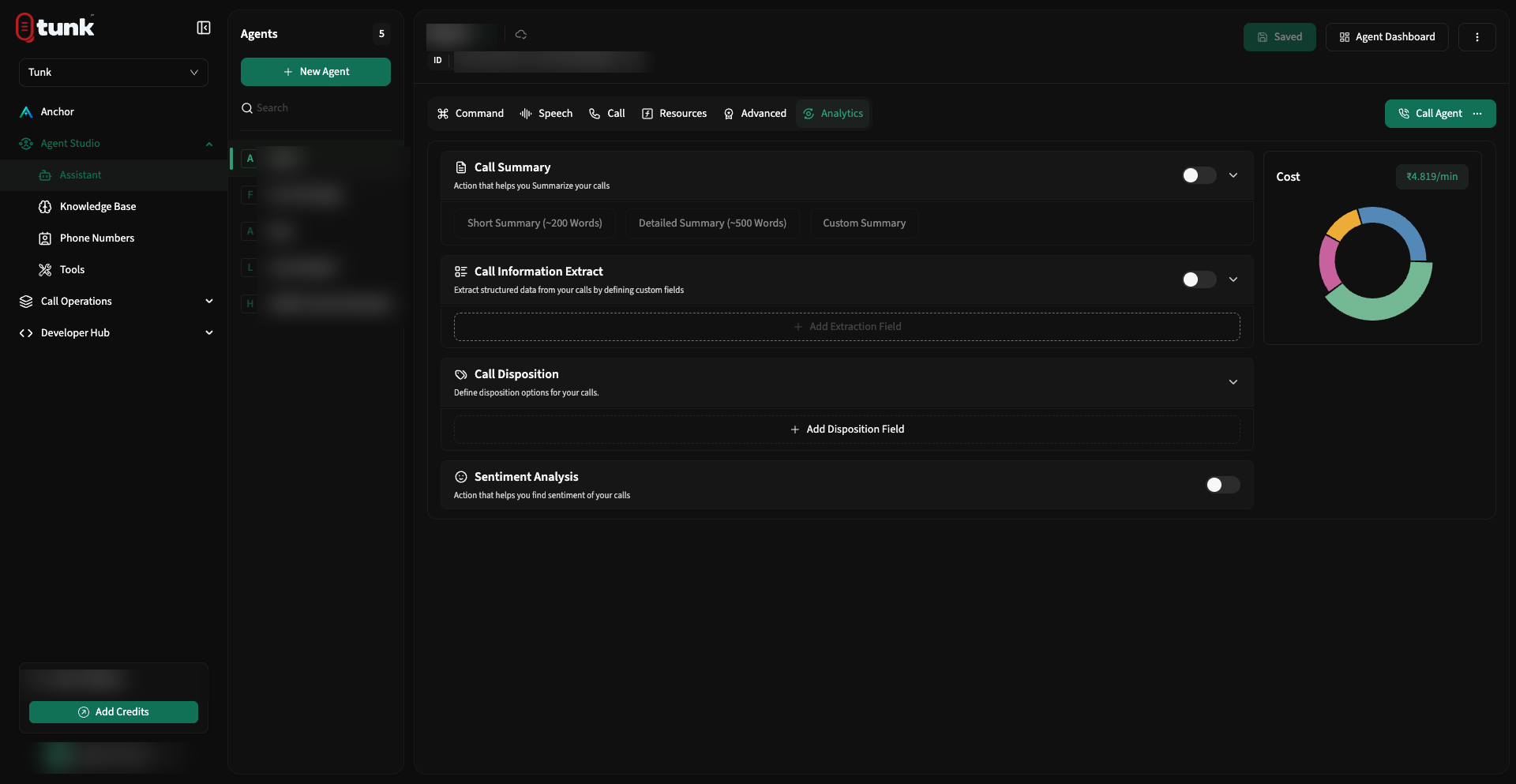 Assistant Analytics Configuration
1. Sentiment Analysis
- When enabled, Tunk computes an overall sentiment score for the interaction:
- Positive: Caller expressed satisfaction, gratitude, or constructive agreement.
- Neutral: Standard informational exchange without emotional skew.
- Negative: Caller expressed frustration, complaints, or dissatisfaction.
- The sentiment score is attached to the call record and delivered in the post-call
call.completedwebhook (insidedata.analytics.sentiment).
2. AI Call Summary
Generate automated summaries of the conversation:
- Preset Summaries: Use standard concise summary formats (e.g. Bulleted Key Points, Executive Brief).
- Custom Summary Prompt: Define your own prompt to enforce specific summarization standards:
Markdown
Summarize this call in 3 bullet points:

1. Primary reason for the caller's inquiry.
2. Resolution or actions taken by the assistant.
3. Pending follow-ups or promised customer deadlines.
3. Structured Data Extraction
Extract structured JSON key-value pairs from the conversational dialogue to update your CRM, database, or ticketing system.
You define the extraction schema directly in the Analytics tab:
| Field Name | Data Type | Description & Extraction Guideline |
|---|---|---|
customer_name | String | The full name of the customer mentioned during the call |
appointment_date | String | Date of the scheduled service in YYYY-MM-DD format |
vehicle_make_model | String | Make and model of vehicle discussed (e.g. "Toyota RAV4") |
callback_requested | Boolean | True if caller asked for a representative callback; otherwise False |
order_id | String | 6-8 digit alphanumeric order identifier |
JSON
// Example Extracted JSON Payload
{
  "customer_name": "Jane Doe",
  "appointment_date": "2026-10-15",
  "vehicle_make_model": "Honda Civic 2022",
  "callback_requested": true,
  "order_id": "ORD-94821"
}
4. Custom Call Dispositions
Call dispositions categorize the final business outcome of the call:
- Create custom disposition tags (e.g.,
Appointment Booked,Voicemail Left,Wrong Number,Escalated to Human,Payment Confirmed). - Provide an LLM evaluation rule for each disposition:
Plain text
Tag as "Appointment Booked" if the caller agreed to a specific date and confirmed their email. Tag as "Voicemail Left" if the assistant reached an answering machine greeting. - Dispositions appear in the Call History table for rapid filtering and team reporting.
Need help? Reach out on our support portal.